What Are Campaign Macros?
Racerads Academyby: RACERADS TEAM
Categories:Advertisers
Want better tracking and deeper insights?
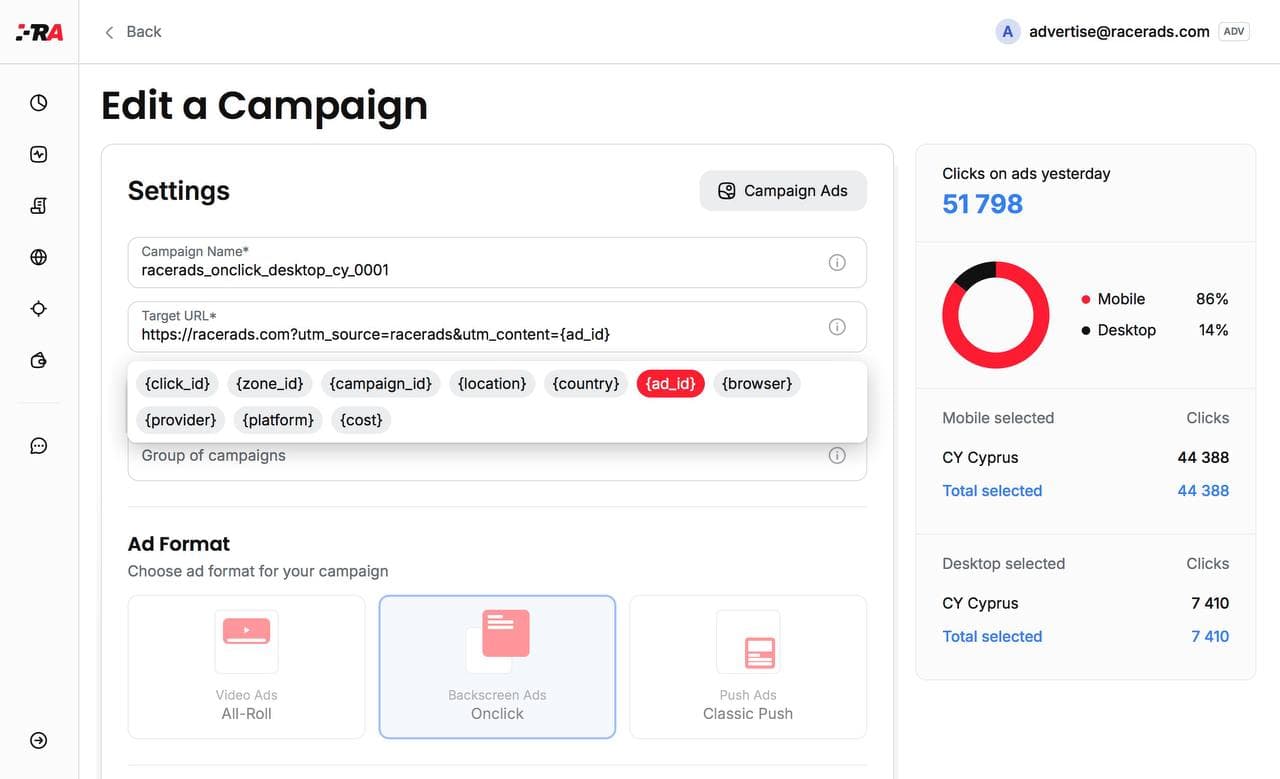
Use macros (tokens) in your campaign URL to pass click data to your tracker or analytics.
🔧 Available Macros:
- {click_id} – Unique visitor ID. Use in Postback or HTML code to track events in RacerAds
- {zone_id} – Traffic zone ID (specific placement)
- {site_id} – Source site ID
- {campaign_id} – ID of the campaign delivering the visitor
- {ad_id} – ID of the clicked ad
- {country} / {location} – User’s region or country code
- {browser} / {platform} / {provider} – User’s browser, OS, and ISP
- {cost} – Price paid per click or impression (for CPM)
🔗 Example URL:
https://your-site.com/?clickid={click_id}&utm_source={site_id}
✅ Use these macros to optimize tracking, segment traffic, and boost performance.
🎓 Racerads Academy — more guides coming soon!